Description
PRODUCT DESCRIPTION
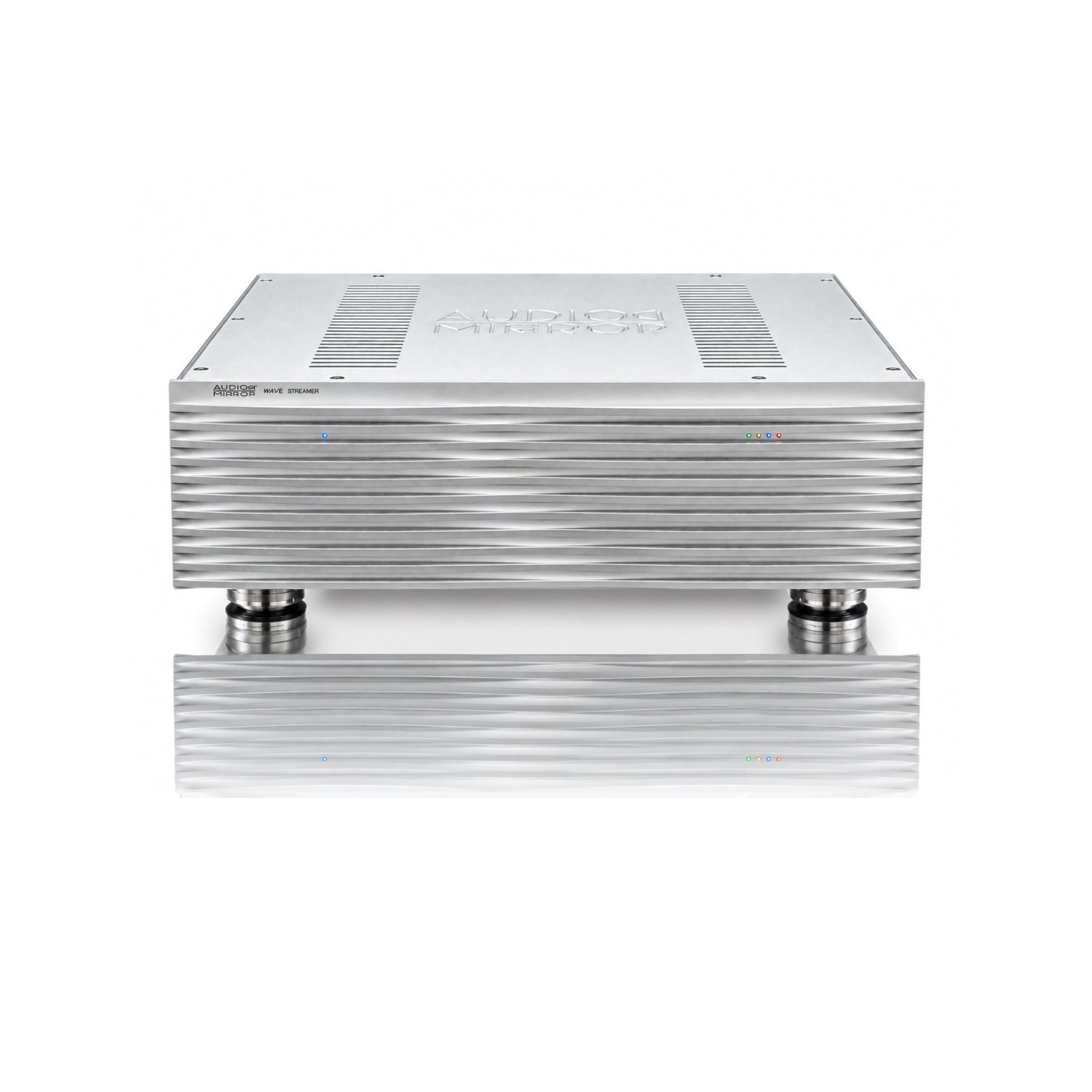
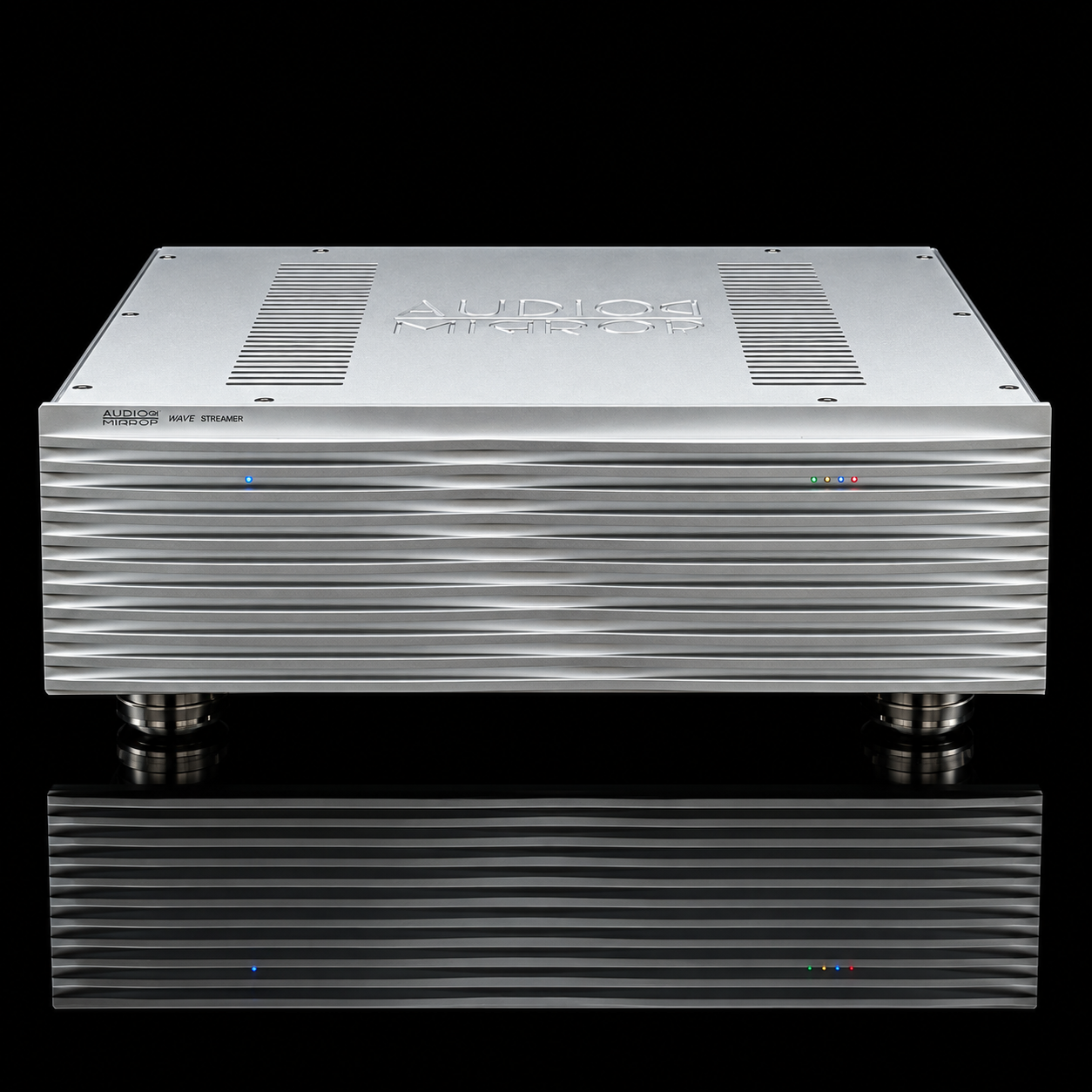
WAVE Streamer is the latest product from Audio Mirror. This is an ultimate sounding streamer with quite unique features. It comes with Audirvana and Roon Endpoint players. Reclocks all output signals. The streamer uses the best possible clocks with the lowest phase noise. With WAVE Streamer you will hear details, dynamics and imaging you have never heard before. Soundstage is huge, immediacy and easy flowing lifelike sound is unmatched. Realism and resolution is amazing, but you will not get any fatigue like many digital sources do. Uses Linux operating system tailored for best music reproduction. Another unique feature is the power supply. It is based on supercapacitors with total value of 14,000 FARAD!!! Because of this, streamer delivers explosive dynamics, highly detailed midrange and highs with refined micro details. You will have a huge soundstage with great imaging and non-fatigue resolution. Super capacitors have been chosen over batteries after endless listening sessions and design changes to achieve the desired analog sounding digital source. You have to hear it to believe it. In general people think – a streamer is just delivering music over internet. While it’s true, also improves the sound a lot by cleaning all the noise, improving the latency, RFI and EMI coming from outside. All this is a result of tireless work for the last two years. Many other streamers have been tested and compared. All the time there were some digital artifacts, something lacking and not sounding live and pleasing. Music sounded kind of compressed and congested. No offense but I will compare it like listening to XM radio in your car. So if you already have a good DAC and looking for the best sound from a digital source – this is your endgame component. Hearing is believing!
Two more things I want to add. Not many streamers(until recently) have I2S output. I2S is superior to USB and by default is better protocol for delivering music. It doesn’t require “handshaking” between streamer and DAC. Also doesn’t rely on codec used and if it’s done right is the best sounding connection. Many times your DAC doesn’t “see” your streamer and vice versa when using USB. I2S is free from all these issues. Additionally WAVE streamer doesn’t have a fancy display with lots of functions. While it’s a convenience to have it, displays introduce high frequency noise and interfere with digital signals. Your mobile device(tablet or phone) is perfect for browsing, showing all info and controlling the streamer.
We chose Audirvana to be installed/embedded, because it is the best sounding player according to our ears and tests. We also include Roon because it is the most popular player. We are confident that WAVE Streamer will be your end game, satisfying the most critical listeners’ tastes.
You can use your own Audirvana Studio or if you don’t have it, subscription for one year is on us!
For Roon users you have to use your own Roon subscription. WAVE Streamer acts as a Roon Endpoint.
The WAVE Streamer features a refined network interface that employs galvanic isolation for audio playback and improves the noise coming from network.
WAVE Streamer has a dedicated APP for managing the streamer – Wave Streamer Remote on Apple and Google APP Store.
You still have to use Audirvana or Roon remote controls to play music.
Links: https://apps.apple.com/us/app/wave-streamer-remote/id6806157420
PRODUCT INFO
| Outputs
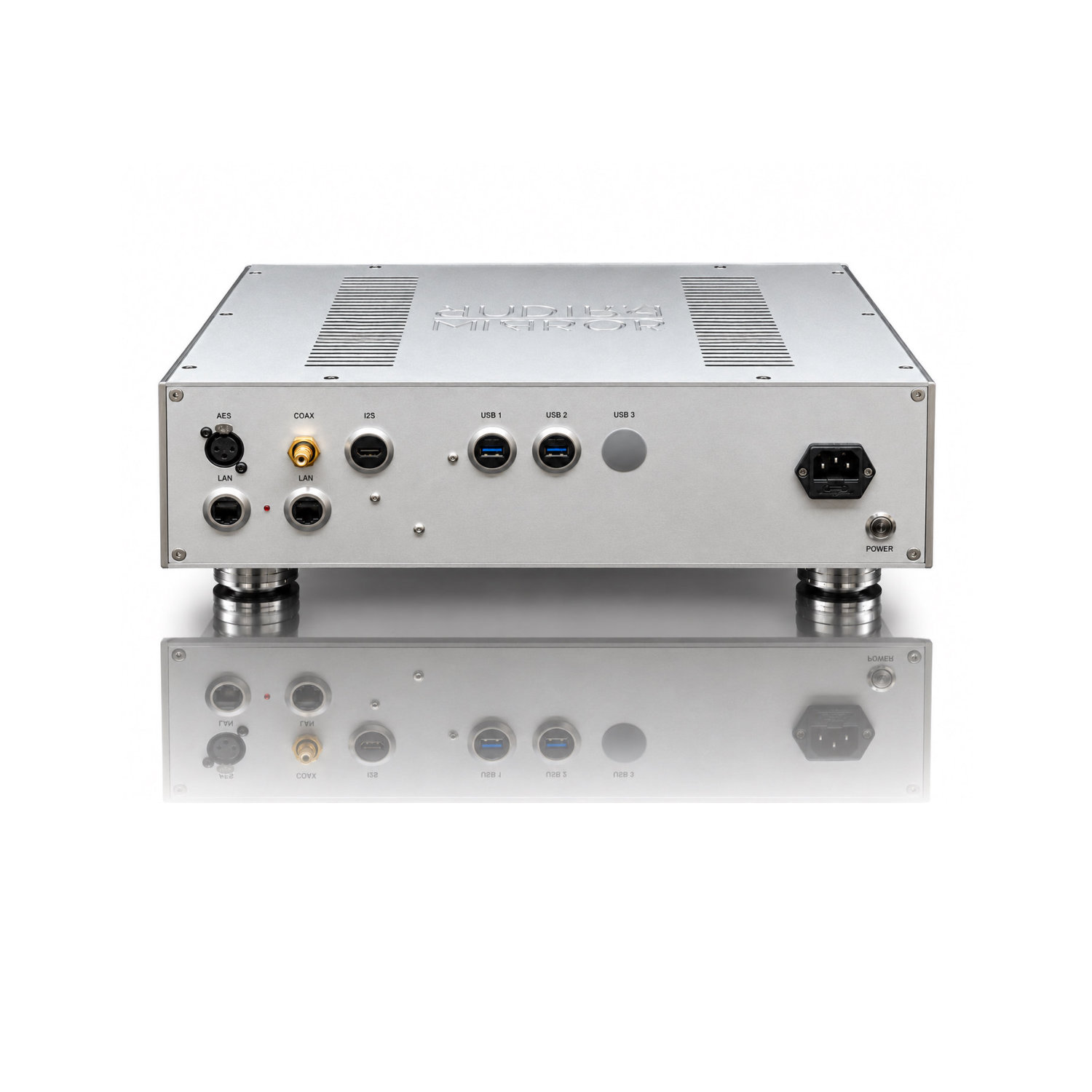
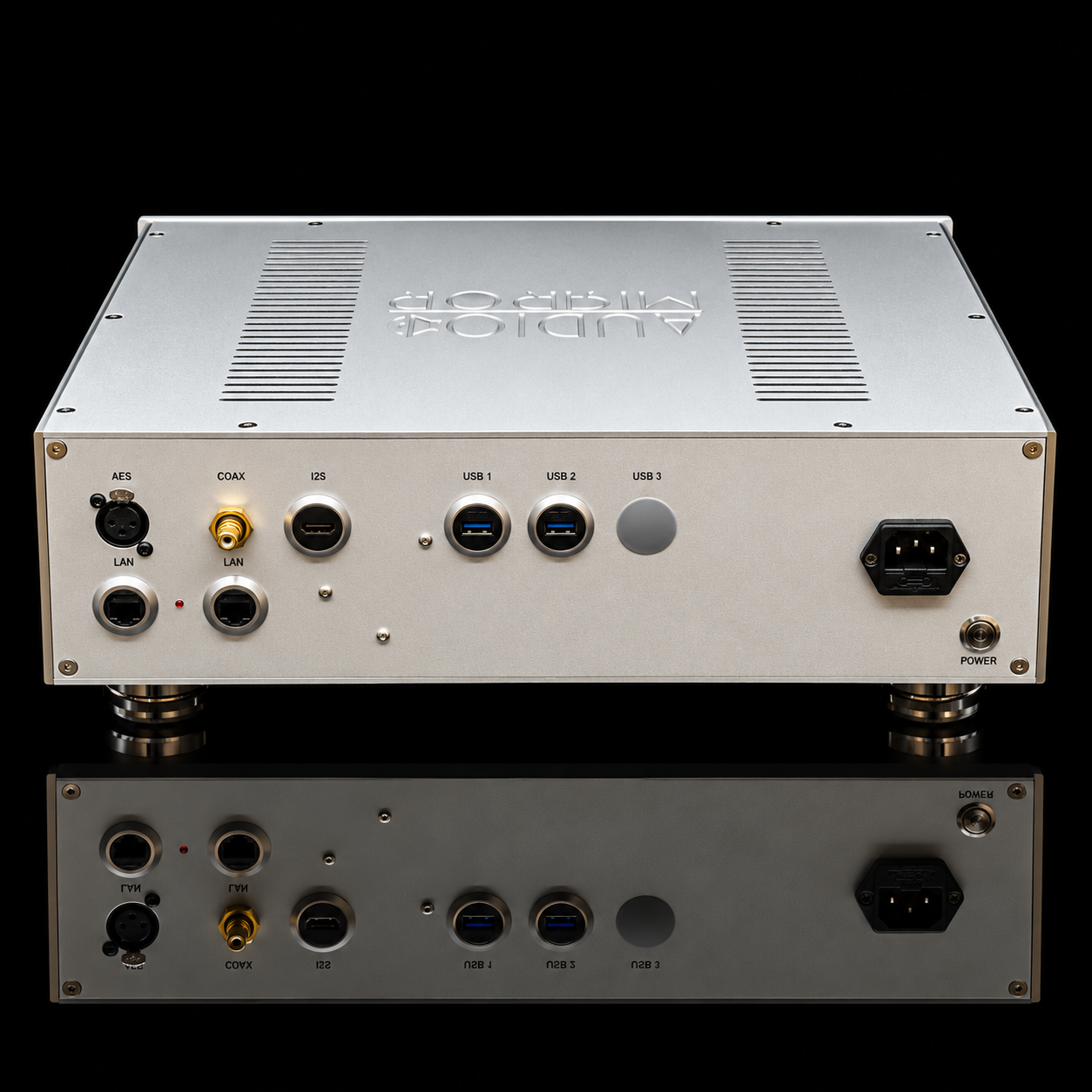
AES – PCM up to192kHz Coaxial – PCM up to 192kHz USB 1 – used for external music library USB 2 – for connecting to a DAC USB 2 – PCM up to 768kHz DSD up to 512 native and over DoP I2S – PCM up to 768kHz DSD up to 128 native and possible 256 over DoP |
| Additional Connectivity
USB 1 – used for connecting external storage(USB thumb/SSD drive) with your music library LAN 1 – for internet connection through dedicated galvanic isolated and noise eliminating device LAN 2 – for connecting to NAS with your music library IMPORTANT Note! All of this music library connections are used with Audirvana only. Roon on WAVE streamer is a “END POINT”. Your Roon Core resides on your computer(desktop or laptop), so your MUSIC Library if you are using Roon should be connected to your computer, not the streamer. |
| LED Indicators:
There are 1 LED on the left and 4 LEDs on the right side. Blue LED on the left side shows the status of the WAVE streamer computer. When computer start booting LED is ON. 4 LED on the right side show status of supercapacitors banks. Green – first bank is powered. Blue – fully charged. Yellow – second bank is powered. Red – second bank is fully charged. |
| Power Management:
WAVE streamer comes without power cord. POWER button is on the back panel below IEC power inlet. Turning your WAVE streamer ON for the first time: Supercapacitors need to be charged for around 1-1.5 hrs. before streamer is ready to operate. Blue LED indicator on the left will light UP when charging process is finished. WAVE streamer has reset/reboot button on the bottom plate, located at the front middle section. To shut down – keep pressed until Blue LED on the left turns OFF. Press again to turn ON and Blue LED will light UP. Streamer is designed to stay ON all the time. Supercapacitors are automatically charged by a specially designed power management circuit. WARNING!!!Do not ship the streamer before contacting us! There is a designated switch in the middle of the bottom panel. The switch disconnects power and turns ON a discharging circuit for the Supercapacitors. Supercapacitors hold charge for a very long time and need to be discharged before shipping. This is a safety requirement! Disconnect the power cord and flip the switch to point to rear panel to start discharging. Keep it overnight for full discharge before shipping. If switch is facing front panel, streamer is in operating mode. If switch is facing rear panel, streamer is in discharge mode. |
| Dimensions:
17 x 14 x 8 inches 30 lb weight |
| Up to 8tb – (2x4tb) extra storage can be connected to WAVE Streamer. It has to be NVMe 2. type. SSD drives/storage has to be formatted and configured by Audio Mirror. |
| Limited time Introductory discount – FREE 4tb SSD storage included! |
| MSRP – $15,990 |
Mobile APP info
APP has the following functions: first step is discovering the WAVE streamer on your local network. Your mobile device and the streamer must be on the same network. Once WAVE streamer is discovered, next step is to choose Audirvana or Roon for playing music. From there you go to the Audirvana remote app or Roon app to play music. Roon core/server must be installed on your computer/laptop. WAVE streamer is a endpoint for the Roon server.
You can not have both Audirvana and Roon running at the same time.
Audirvana and Roon need different approaches for music library. Audirvana lets you connect USB or NAS storage with your music. When using Roon you have your computer as a server and your USB/NAS music library is connected to computer not the WAVE server.Other APP functions are showing you IP address, connected external devices with local music/library. Could be USB(thumb-drive, SSD etc.)
Connecting your media:
| USB Drive Media | NAS Drive Media | |
| Playing with Audirvana | Connect your USB drive to WAVE Streamer Port 1. Then add the folder in Audirvana from Settings / Local / Add Folder – select media / your usb drive | Use Audirvana Settings / Local / Add Network Folder to connect to your NAS. |
| Playing with Roon | Connect your USB drive to the Roon Server Computer (not on WAVE streamer) and load your music using Roon | Connect your NAS to your Roon Server Computer |


